Small-to-medium manufacturers like you don’t always have the dedicated staff to focus on FDA / SQF audits, OSHA safety audits, ISO audits, and all the other inspections you need to do. And handling them with dispersed spreadsheets and paper binders can steal hours from production. But most audit compliance software is built for the "big guys" with high costs and steep learning curves. MakerComply is the simple-to-use audit compliance software built for SME manufacturers.
Our software has helped heavily-regulated workplaces conduct thousands of audits and inspections – and pass them with flying colors.
What if Audits Ran Like a Guided Automated Workflow?
Use MakerComply Audit Manager to stay prepared.
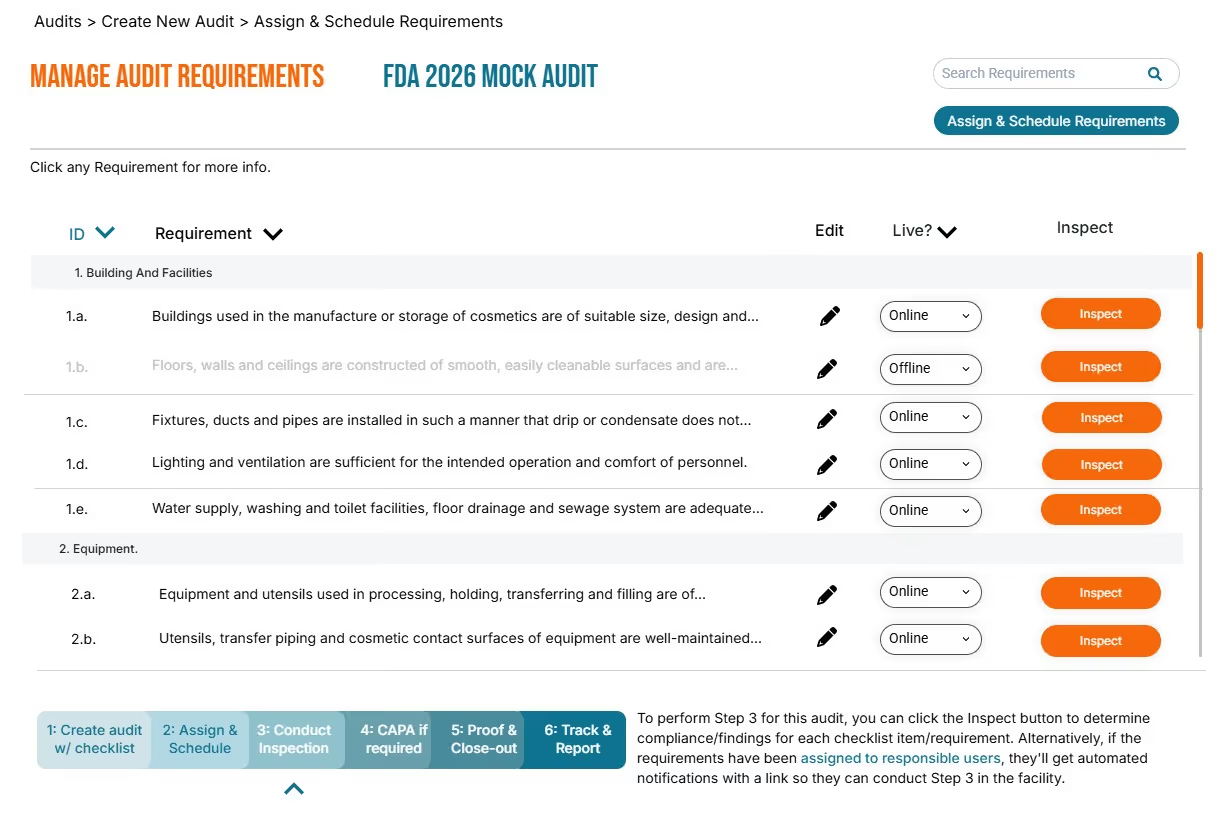
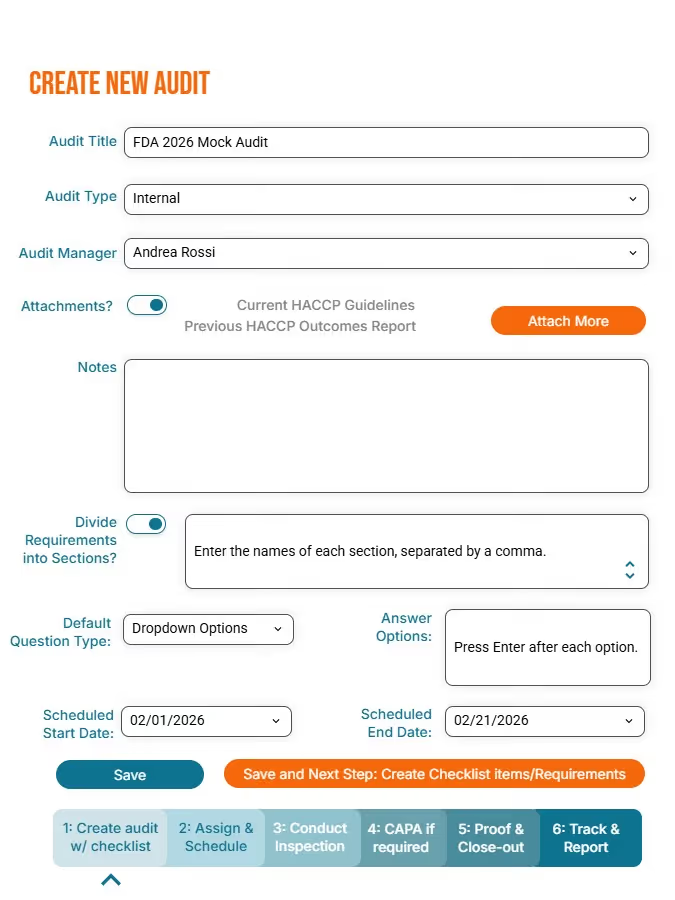
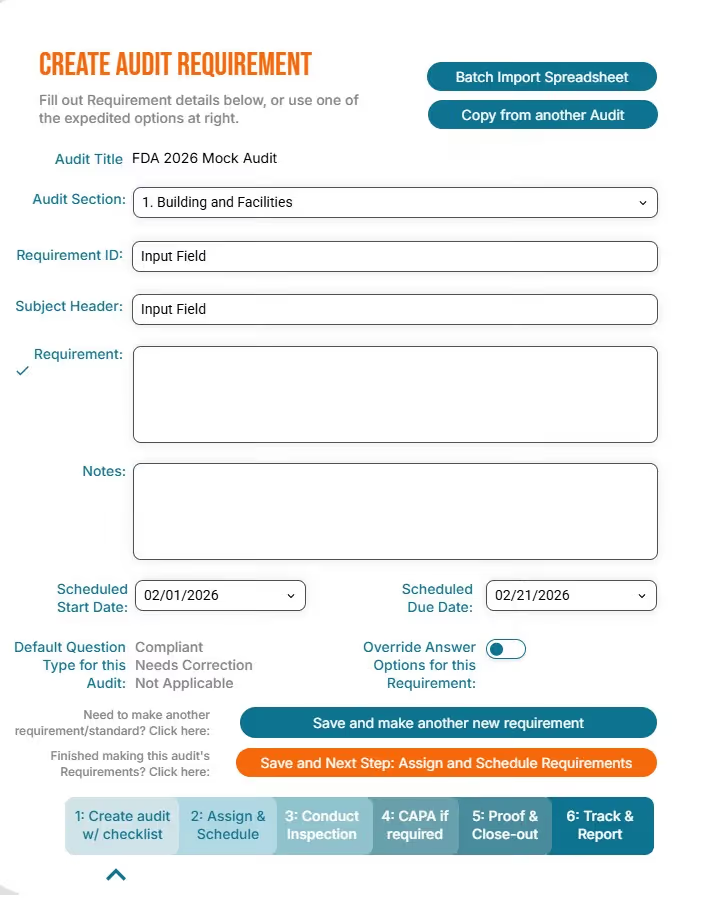
Step 1: create/import your audit
Add as many inspections or audits as you need, and import or create unlimited checklists or standards for each audit.
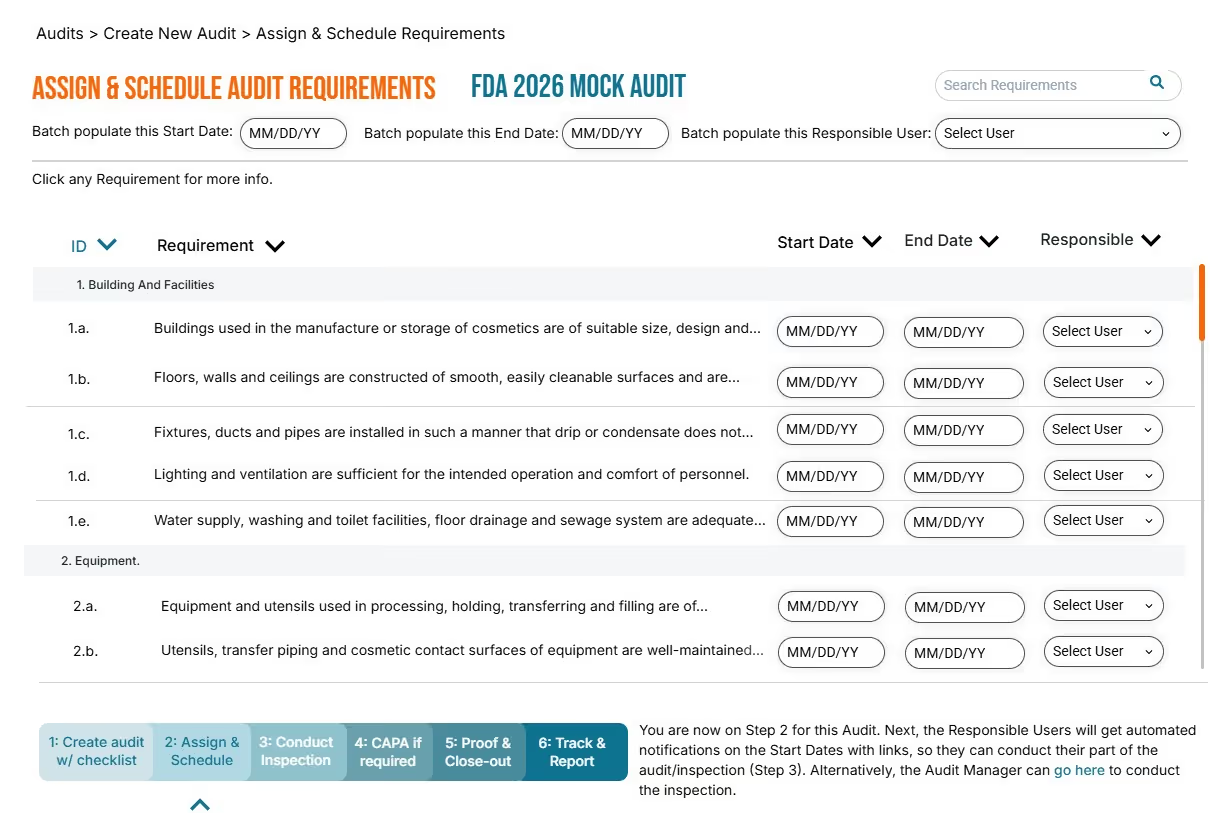
Step 2: assign & schedule
Coordinate the work easily with automated notifications. Every team member does the right work at the right time, to get the audit done fast.
STEP 3: conduct your inspection
Walk the floor and add your inspection notes, photos, and findings in real time, on your mobile device. Sync up later if you need to do your inspection offline.
Step 4: directly Link Evidence
Instantly add any kind of evidence of your findings: photos, notes, videos, PDFs, and more - directly to each standard.
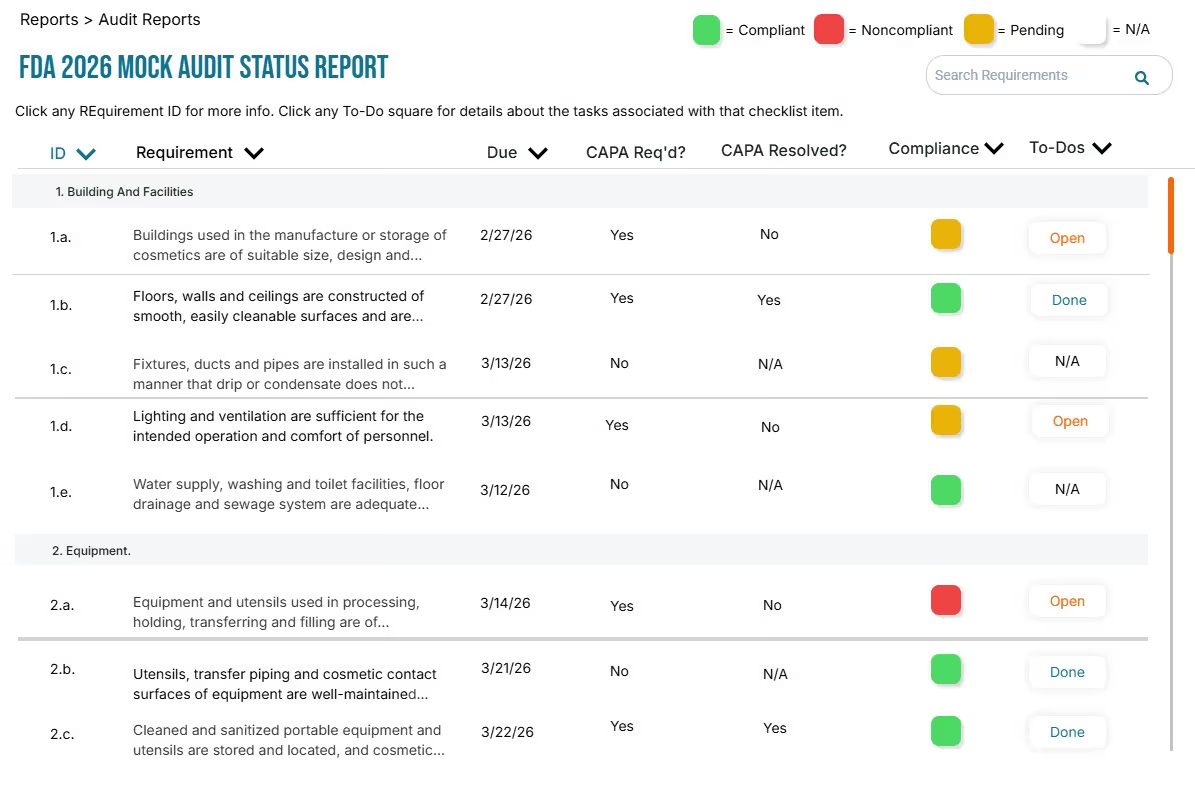
Step 5: RePORT & Track
Automatic up-to-date reports are ready to show an inspection team instantly. Set up automated email reporting on a weekly or monthly schedule, with zero manual intervention.
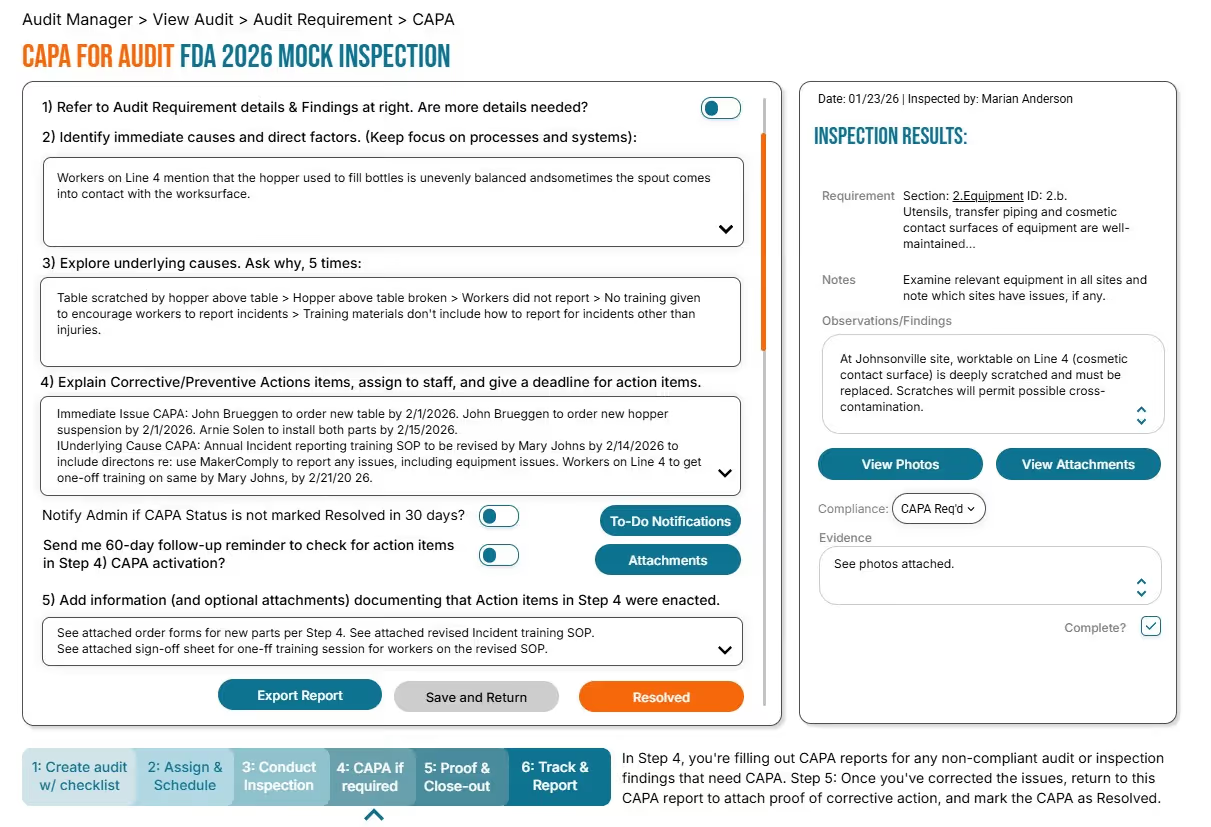
STEP 6: CAPA & Close out
Flag nonconfomances that call for corrective action, and directly link each audit requirement to its CAPA plan. Automated reminders ensure preventive actions get done and are provable during an audit.
audits with less effort, less stress, less cost
unlimited audits to support FDA, OSHA, ISO, GFSI, and more
MakerComply helps you automate your ISO certification audits, OSHA safety audits, FDA audits, and so much more. Easily import your existing audits into MakerComply and stop using manual methods to manage audits. You can copy an audit in seconds, to make an internal audit that helps you be prepared.
find deficiencies before an inspector does
Proactively improve compliance with internal audits that automatically generate gap analysis reports. Gap analyses help you identify deficiencies before an inspector finds them so you can remedy the problem before you get cited.
coordinate, share, and secure Access
Secured access to your audits gives you granular control over who can contribute to the audit process - without doing all the work yourself. Securely share progress on audit preparedness with your team. You can even share controlled access with inspectors to help breeze through an inspection.
streamline your compliance proof
Snap together and attach your evidence of compliance to every audit requirement, standard, or checklist item. Link to SOPs, CAPA records, training records, photos, work instructions, SDS sheets, email messages: anything you need to demonstrate compliance. Get better results in less time.
Ditch your spreadsheets
Stop wasting time updating spreadsheets or hunting for paper binders. Work with any audit checklist or set of standards, online and available from any device and generate instant reports without wrestling with spreadsheets.
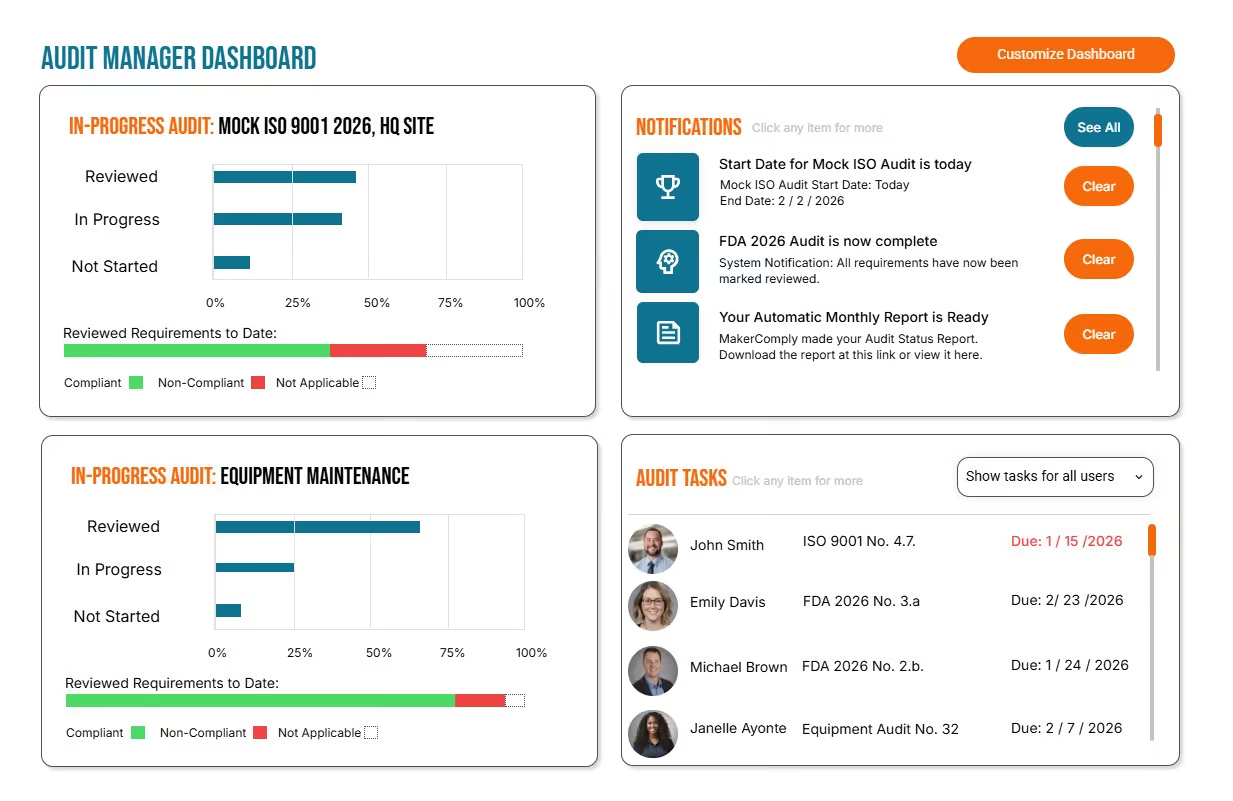
get everything you need, in one place
Have your audits at your fingertips in one central repository, on any desktop, laptop, or tablet. MakerComply helps your multi-site facility too, with secured access to a central audit management repository. Knowing where to find everything you'll need makes for less stressful unannounced inspections.
Supporting Visuals
Get Early Access
Join our wait list to be an early bird for the first cost-effective Audit Manager Software meant for SME manufacturers.
Thank you! Your submission has been received!
Oops! Something went wrong while submitting the form.
Thank you! Your submission has been received!
Oops! Something went wrong while submitting the form.








.avif)