

Training rarely fails because people don’t care about it. In most small manufacturing plants, the real issue is that training lives in the background until something forces it into the spotlight. None of this feels complicated while it’s happening.
The difficulty appears later, when someone asks questions that the plant wasn’t expecting. And the story needs to be restructured:
This is where shop floor training management becomes harder than it first appears. The challenge is maintaining a clear, reliable record of competence across dozens of employees, processes, and certifications while production continues to move.
As shops grow and operations become more complex, the record keeping burden grows with them. What once lived in people’s memories or informal notes gradually evolves into a system that must withstand audits, safety requirements, and customer expectations.
Training management looks simple on paper. Most small manufacturers start with a setup that feels perfectly reasonable. Common approaches include:
In a 20–30 person shop, supervisors usually know who is trained on what. If someone needs a forklift refresher or safety update, a reminder goes out, and the spreadsheet gets updated.
The challenge is that training in manufacturing also often determines whether someone is allowed to run a machine, handle hazardous chemicals, perform quality checks, or operate industrial equipment.
As a result, regulators treat training as a documented competence requirement. For example, OSHA’s Hazard Communication standard1 requires employers to provide training on hazardous chemicals when employees start work and whenever new hazards are introduced.
Spreadsheets, emails, and paper sign-offs were never designed for that. As teams grow and certifications multiply, the gap between “we did the training” and “we can prove it quickly” becomes harder to manage.
Spreadsheet systems rarely fail all at once. Problems usually appear slowly until something forces the issue (an audit, an incident, or a sudden staffing change).
One hidden cost is time spent searching for information. Managers, supervisors, and quality teams often spend significant time tracking down documents, certificates, and training records scattered across folders and emails.
Research from the McKinsey Global Institute found that professionals spend about 19% of their time searching for information. Training records stored across spreadsheets, folders, and paper files create exactly this type of problem.
Another issue is data accuracy. Large, frequently edited spreadsheets tend to accumulate errors. Research on spreadsheet reliability has shown that errors appear in a large percentage of organizational spreadsheets.
Research from the National Institute for Occupational Safety and Health shows strong evidence that training improves worker understanding of hazards and safer work practices. When training systems are incomplete or poorly tracked, safety gaps are more likely to appear.
Workplace injuries also carry major economic costs. In the United States, the National Safety Council estimated the total cost of work injuries in 2023 at $176.5 billion.
While training tracking alone does not eliminate hazards, weak training systems make it harder to prevent predictable failures in high-risk tasks.
OSHA penalties can reach tens of thousands of dollars per violation, with much higher penalties for willful or repeated violations.
When small manufacturers hear the word “automation,” they often imagine a large enterprise manufacturing training software with complex implementation.
In practice, training automation for small plants usually means replacing repetitive manual work with simple systems that manage records and reminders.
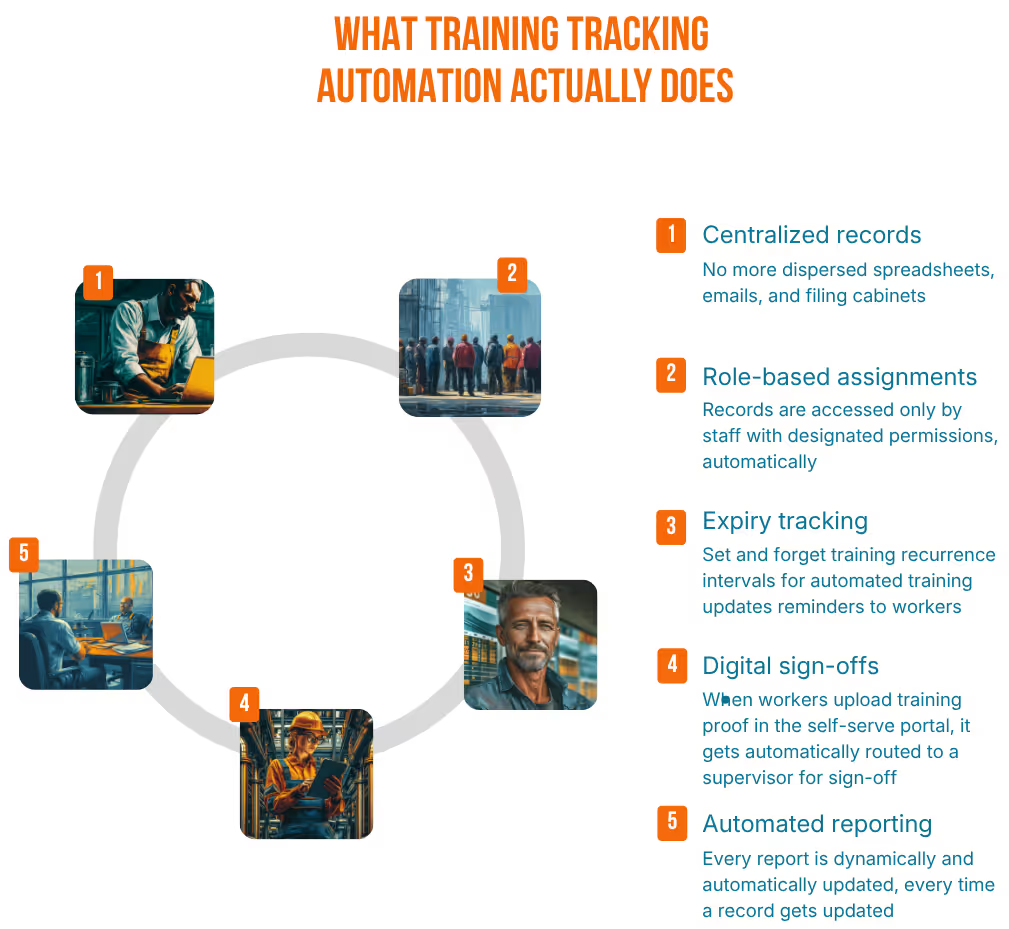
Most systems focus on a few core functions.
Training completions, certificates, and competence evidence are stored in one location instead of across spreadsheets and folders.
Training is assigned based on job roles or processes. When someone is hired or moves roles, the system automatically assigns required training.
Time-limited certifications, such as forklift licenses or safety training, are tracked automatically. The system alerts supervisors before they expire.
Supervisors can record on-the-job training completion digitally and attach certificates or photos as evidence.
Managers can quickly generate reports showing training status by employee, role, or department.
These functions replace the spreadsheet workflow while improving the quality and accessibility of training records.
When training records move from spreadsheets into a structured system, improvements show up in everyday operations across the plant.
Key benefits typically include:
Most plants do not decide to replace spreadsheets overnight. The shift usually occurs when everyday work begins to reveal clear limits in the system.
Common warning signs include:
Not every training management system fits a small manufacturing plant. The goal is to replace manual manufacturing training-tracking with a system that maintains accurate, searchable, and easy-to-maintain training records.
When evaluating options, focus on featuresthat directly solve the weaknesses of spreadsheet-based tracking:
A good training tracking software should act as a single source of truth for employee training history.
Instead of spreading records across spreadsheets, shared folders, and paper files, the system stores all training data in one place. This includes course completions, certificates, licenses, and on-the-job training sign-offs.
In many plants, training requirements are tied to specific roles or processes. A machine operator, quality inspector, and maintenance technician may all require different certifications.
An employee training management software automatically assigns required training based on the employee’s job role.
For example, when a new operator is added to the system, the required safety training, machine certifications, and process instructions can be assigned automatically. If that employee later moves to another role, the system updates the training requirements accordingly.
Many manufacturing certifications expire periodically. Examples include:
A compliance training tracking software should automatically monitor their expiration dates and send alerts before certifications lapse.
Training evidence is often just as importantas the training itself.
A strong system allows supervisors or employees to upload supporting documents directly into the training record (including certificates, scanned documents, photos of licenses, or signed completion forms).
Audits and customer inspections often require quick answers to common questions:
A good training system makes these answers easy to produce through simple reports or dashboards.
Managers should be able to generate training status reports by employee, department, role, or certification type within minutes. This turns audit preparation from a manual reconstruction exercise into a straightforward review of existing records.
Many manufacturers hesitate to switch systems because they worry about losing history or disrupting production.
A gradual transition usually works best.
First, start with the current operational reality. Identify active employees, their roles, and the essential training requirements needed to run safely and meet customer expectations. Next, import existing data where possible. Many systems, like MakerComply, allow employee lists and training records to be uploaded rather than re-entered manually.
After that, define roles and renewal cycles toallow the system to automatically assign required training and track certification expirations.
Some systems call for supervisors to receive training on recording sign-offs or uploading certificates. Other systems, including MakerComply, will automatically record sign-offs and prompt employees to upload their own certificates.

Training is one of those things that quietly holds a plant together.
When it works well, no one notices. But when the training system breaks, it rarely shows up as a spreadsheet problem. It shows up as confusion on the floor, missing documentation during an audit, or uncertainty about who is qualified to run a critical process. Spreadsheets were never meant to carry that weight.
A connected training system keeps records in one place, tracks requirements automatically, and makes it easy to answer the question every plant eventually faces:
Who is trained, and can we prove it?
Training rarely fails because people don’t care about it. In most small manufacturing plants, the real issue is that training lives in the background until something forces it into the spotlight. None of this feels complicated while it’s happening.
The difficulty appears later, when someone asks questions that the plant wasn’t expecting. And the story needs to be restructured:
This is where shop floor training management becomes harder than it first appears. The challenge is maintaining a clear, reliable record of competence across dozens of employees, processes, and certifications while production continues to move.
As shops grow and operations become more complex, the record keeping burden grows with them. What once lived in people’s memories or informal notes gradually evolves into a system that must withstand audits, safety requirements, and customer expectations.
Training management looks simple on paper. Most small manufacturers start with a setup that feels perfectly reasonable. Common approaches include:
In a 20–30 person shop, supervisors usually know who is trained on what. If someone needs a forklift refresher or safety update, a reminder goes out, and the spreadsheet gets updated.
The challenge is that training in manufacturing also often determines whether someone is allowed to run a machine, handle hazardous chemicals, perform quality checks, or operate industrial equipment.
As a result, regulators treat training as a documented competence requirement. For example, OSHA’s Hazard Communication standard1 requires employers to provide training on hazardous chemicals when employees start work and whenever new hazards are introduced.
Spreadsheets, emails, and paper sign-offs were never designed for that. As teams grow and certifications multiply, the gap between “we did the training” and “we can prove it quickly” becomes harder to manage.

Spreadsheet systems rarely fail all at once. Problems usually appear slowly until something forces the issue (an audit, an incident, or a sudden staffing change).
One hidden cost is time spent searching for information. Managers, supervisors, and quality teams often spend significant time tracking down documents, certificates, and training records scattered across folders and emails.
Research from the McKinsey Global Institute found that professionals spend about 19% of their time searching for information. Training records stored across spreadsheets, folders, and paper files create exactly this type of problem.
Another issue is data accuracy. Large, frequently edited spreadsheets tend to accumulate errors. Research on spreadsheet reliability has shown that errors appear in a large percentage of organizational spreadsheets.
Research from the National Institute for Occupational Safety and Health shows strong evidence that training improves worker understanding of hazards and safer work practices. When training systems are incomplete or poorly tracked, safety gaps are more likely to appear.
Workplace injuries also carry major economic costs. In the United States, the National Safety Council estimated the total cost of work injuries in 2023 at $176.5 billion.
While training tracking alone does not eliminate hazards, weak training systems make it harder to prevent predictable failures in high-risk tasks.
OSHA penalties can reach tens of thousands of dollars per violation, with much higher penalties for willful or repeated violations.
When small manufacturers hear the word “automation,” they often imagine a large enterprise manufacturing training software with complex implementation.
In practice, training automation for small plants usually means replacing repetitive manual work with simple systems that manage records and reminders.
Most systems focus on a few core functions.
Training completions, certificates, and competence evidence are stored in one location instead of across spreadsheets and folders.
Training is assigned based on job roles or processes. When someone is hired or moves roles, the system automatically assigns required training.
Time-limited certifications, such as forklift licenses or safety training, are tracked automatically. The system alerts supervisors before they expire.
Supervisors can record on-the-job training completion digitally and attach certificates or photos as evidence.
Managers can quickly generate reports showing training status by employee, role, or department.
These functions replace the spreadsheet workflow while improving the quality and accessibility of training records.
When training records move from spreadsheets into a structured system, improvements show up in everyday operations across the plant.
Key benefits typically include:
Most plants do not decide to replace spreadsheets overnight. The shift usually occurs when everyday work begins to reveal clear limits in the system.
Common warning signs include:
Not every training management system fits a small manufacturing plant. The goal is to replace manual manufacturing training-tracking with a system that maintains accurate, searchable, and easy-to-maintain training records.
When evaluating options, focus on featuresthat directly solve the weaknesses of spreadsheet-based tracking:
A good training tracking software should act as a single source of truth for employee training history.
Instead of spreading records across spreadsheets, shared folders, and paper files, the system stores all training data in one place. This includes course completions, certificates, licenses, and on-the-job training sign-offs.
In many plants, training requirements are tied to specific roles or processes. A machine operator, quality inspector, and maintenance technician may all require different certifications.
An employee training management software automatically assigns required training based on the employee’s job role.
For example, when a new operator is added to the system, the required safety training, machine certifications, and process instructions can be assigned automatically. If that employee later moves to another role, the system updates the training requirements accordingly.
Many manufacturing certifications expire periodically. Examples include:
A compliance training tracking software should automatically monitor their expiration dates and send alerts before certifications lapse.
Training evidence is often just as importantas the training itself.
A strong system allows supervisors or employees to upload supporting documents directly into the training record (including certificates, scanned documents, photos of licenses, or signed completion forms).
Audits and customer inspections often requirequick answers to common questions:
A good training system makes these answers easy to produce through simple reports or dashboards.
Managers should be able to generate training status reports by employee, department, role, or certification type within minutes. This turns audit preparation from a manual reconstruction exercise into a straightforward review of existing records.
Many manufacturers hesitate to switch systems because they worry about losing history or disrupting production.
A gradual transition usually works best.
First, start with the current operational reality. Identify active employees, their roles, and the essential training requirements needed to run safely and meet customer expectations. Next, import existing data where possible. Many systems allow employee lists and training records to be uploaded rather than re-entered manually.
After that, define roles and renewal cycles toallow the system to automatically assign required training and track certification expirations.
Supervisors should receive brief training on recording sign-offs or uploading certificates.
Training is one of those things that quietly holds a plant together.
When it works well, no one notices. But when the training system breaks, it rarely shows up as a spreadsheet problem. It shows up as confusion on the floor, missing documentation during an audit, or uncertainty about who is qualified to run a critical process. Spreadsheets were never meant to carry that weight.
A connected training system keeps records in one place, tracks requirements automatically, and makes it easy to answer the question every plant eventually faces:
Who is trained, and can we prove it?